
Picture this: you’re sitting in a salon chair, scissors hovering dangerously close to your beloved long hair, and your stylist is waiting for you to say “yes.” You think a bob would look amazing on you. But what if it doesn’t? What if you walk out looking nothing like the Pinterest inspiration you saved three months ago?
Here’s the good news you never have to make that terrifying guess again.
Thanks to AI-powered virtual hairstyle try-on tools, you can now test dozens of haircuts on your actual face, with your actual features, in under 60 seconds. No commitment. No regret. No awkward “it’ll grow back” conversations.
In this guide, I’m breaking down everything you need to know about trying hairstyles on your face online for free in 2026. I’ll also share my honest take on the top tools out there, what makes each one stand out (or fall flat), and how to get the most realistic results from any simulator you use.
Why Virtual Hairstyle Try-On Is a Game-Changer in 2026
Let’s be real, getting a haircut is one of the most permanent beauty decisions you can make in the short term. Hair grows back, sure, but nobody wants to spend six months waiting for a mistake to fix itself.
That’s exactly why virtual hairstyle simulators have absolutely exploded in popularity. The technology has come a long way from the clunky, obviously fake-looking overlays of the early 2010s. Today’s AI tools use deep learning and facial mapping to place realistic-looking hairstyles directly onto your photo accounting for your face shape, skin tone, lighting, and even the angle of your head.
The result? A preview that’s genuinely useful, not just a party trick.
And here’s what I love most about this: it’s completely democratized hair experimentation. You don’t need to pay for a consultation, you don’t need to drag a friend along for moral support, and you definitely don’t need to commit to anything. You just upload a photo and start playing.
What to Look For in a Good Hairstyle Simulator
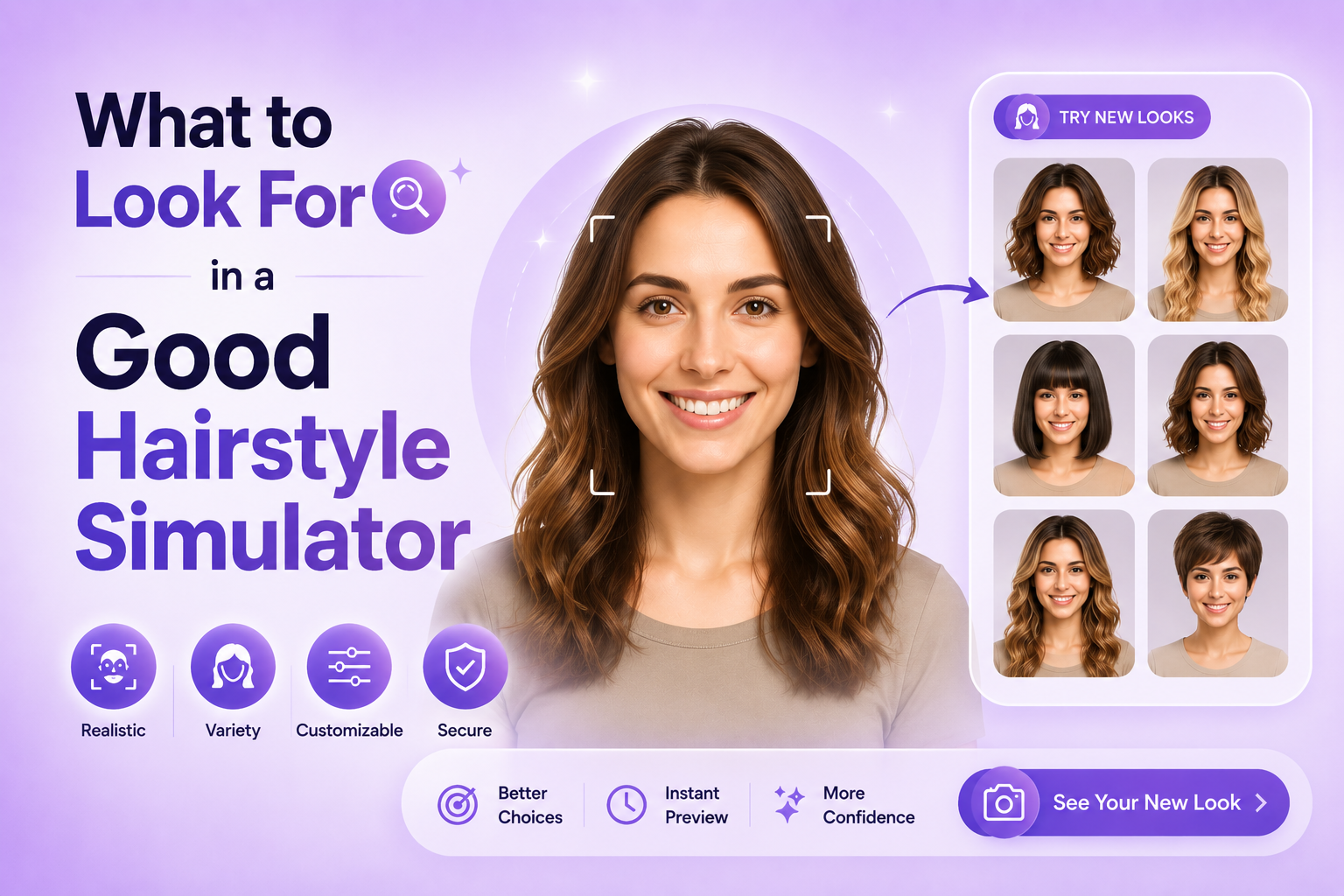
Before I dive into specific tools, let me share what actually matters when choosing a virtual hairstyle try-on app. I’ve tested a bunch of these, and the difference between a great one and a mediocre one comes down to a few key things:
Realism of the output. Does the hairstyle look like it’s actually sitting on your head, or does it look pasted on? The best tools use AI that accounts for your facial structure, things like your jawline, forehead width, and hairline to make the result look believable.
Variety of styles. You want options. A tool with only 10 hairstyle choices isn’t going to help you find your perfect look. Look for tools that offer styles across different lengths, textures, and cuts from pixie cuts to beach waves to box braids.
Ease of use. Nobody wants to navigate a confusing interface just to see if they’d suit curtain bangs. The best tools are dead simple: upload photos, pick style, see result.
Privacy. You’re uploading a photo of your face. That’s personal. Check whether the tool stores your images or uses them for training data. Some tools explicitly promise no-login and no data retention, which is a green flag.
Cost. While many tools offer free tiers, some lock the best styles or the highest-resolution outputs behind a paywall. I’ll flag which ones are genuinely free vs. which ones use “free” as a hook.
The Best Free AI Hairstyle Try-On Tools in 2026
1. TryOnHairstyle.com — Best for Pure Simplicity and Variety
If you want zero friction, this is your go-to. TryOnHairstyle.com is built specifically for one thing: letting you try hairstyles on your photo, fast. No login required. No credit card. No confusing settings.
You pick a style from their library which includes everything from a classic bob to box braids to a slicked-back look and the AI applies it to your uploaded photo within seconds. They have separate galleries for male and female styles, which is actually more thoughtful than it sounds. A lot of tools treat everyone the same and end up with awkward results for men trying to find a new fade or undercut.
What I genuinely appreciate about this tool is its transparency. They’re upfront about the fact that it’s powered by AILabTools and that no login is required. Your privacy is respected by design.
Styles available: 20+ for women, 15+ for men Free to use: Yes, completely Login required: No Best for: Quick experimentation, both men and women
My take: This is the one I’d recommend to a friend who just wants to mess around and see options before a salon appointment. It’s not the flashiest interface, but the results are solid and the variety is excellent.
2. Pixelcut AI Short Hair Simulator — Best for Short Hair Specifically
Pixelcut has built something very specific here: a simulator focused entirely on short hairstyles. And because they’ve narrowed the scope, they’ve really nailed it.
Instead of picking from a preset gallery, you type a prompt describing the style you want. Something like “curly pixie cut with volume” or “sleek asymmetrical bob with fringe.” The AI then generates a custom preview on your photo.
This text-prompt approach is more flexible than a gallery; you’re not limited to whatever styles the developers pre-loaded. But it does require you to know roughly what you’re looking for, which isn’t ideal if you’re just browsing for inspiration.
Pixelcut is trusted by over 70 million users globally, and it shows in the quality of their AI. The results look genuinely realistic, not the obvious wig-on-head look that cheaper tools produce.
Styles available: Unlimited (text-prompt based) Free to use: Yes (with limits) Login required: For download/high-res Best for: People who already know they want to go short and want to fine-tune
My take: If you’ve already decided short is the direction and you want to see exactly how a specific style would look on your face, Pixelcut is unbeatable. The prompt-based approach gives you way more creative control.
3. VisualGPT AI Hairstyle Changer — Best for AI-Powered Customization
VisualGPT takes a slightly more sophisticated approach. It’s built for people who want more than just a quick overlay; they want to really explore what different AI-generated hairstyles would look like in different scenarios.
The tool uses generative AI to actually modify the image of you with a new hairstyle, rather than just placing a preset style on top. This means the lighting, texture, and integration with your natural features tends to look more organic.
It’s worth noting that VisualGPT caters to a more tech-savvy audience; the interface isn’t quite as intuitive as TryOnHairstyle.com, and you may find yourself clicking around more before you get the result you want. But the quality ceiling is higher.
Styles available: High variety through AI generation Free to use: Free tier available Login required: Depends on feature Best for: People who want highly customized, realistic AI results
My take: If realism is your top priority and you don’t mind spending a few extra minutes figuring out the interface, VisualGPT delivers impressive results. The AI-generated approach (vs. overlay) really does look more convincing.
4. TheHairstyler.com — Best for Professional Consultation Feel
TheHairstyler.com has been around for years and has built up a massive library of hairstyle options. We’re talking thousands of cuts organized by face shape, hair texture, length, and celebrity-inspired looks.
Their virtual hairstyler lets you upload a photo and browse their library of styles, then apply them to your image. The approach is more traditional than the newer AI-first tools you’re choosing from preset styles rather than generating custom looks but the sheer volume of options is staggering.
They also have a “face shape analysis” feature that suggests which styles will flatter your specific features. For someone who doesn’t know where to start, this kind of guidance is genuinely helpful.
The downside? Full access requires a subscription. The free tier gives you a taste, but the best features are behind a paywall.
Styles available: Thousands Free to use: Limited free trial Login required: Yes Best for: People who want professional-grade guidance and face shape analysis
My take: TheHairstyler.com feels the most like a professional consultation tool. If you’re making a major hair decision like going from long to short for the first time the face shape guidance here is worth the extra step. For casual browsing, the free options above are probably enough.
How to Get the Best Results from Any Hairstyle Simulator
Here’s something I learned the hard way: the quality of your input photo matters enormously. A blurry selfie or a heavily filtered photo will produce a mediocre result no matter how good the AI is.
Use a well-lit, front-facing photo. Natural light is ideal. Avoid harsh shadows across your face. The AI needs to clearly see your hairline, face shape, and features to apply the style accurately.
Pull your hair back if it’s long. If you’re testing short styles, tie or clip your hair back before taking the photo. This gives the AI more accurate information about your actual face shape and makes the short-hair preview much more realistic.
Use a neutral background. A plain wall or solid-color background helps the AI focus on you rather than trying to parse a cluttered environment.
Try multiple styles. Don’t just test one and decide. The whole point is experimentation: run through 10 different looks before you commit to anything. Many people are surprised by which styles actually suit them when they see it visualized properly.
Screenshot everything you like. Even if you don’t end up going with a particular style, save your favorites and bring them to your stylist. Showing a visual reference is always clearer than trying to describe a haircut with words.
What Hairstyle Actually Suits Your Face Shape?
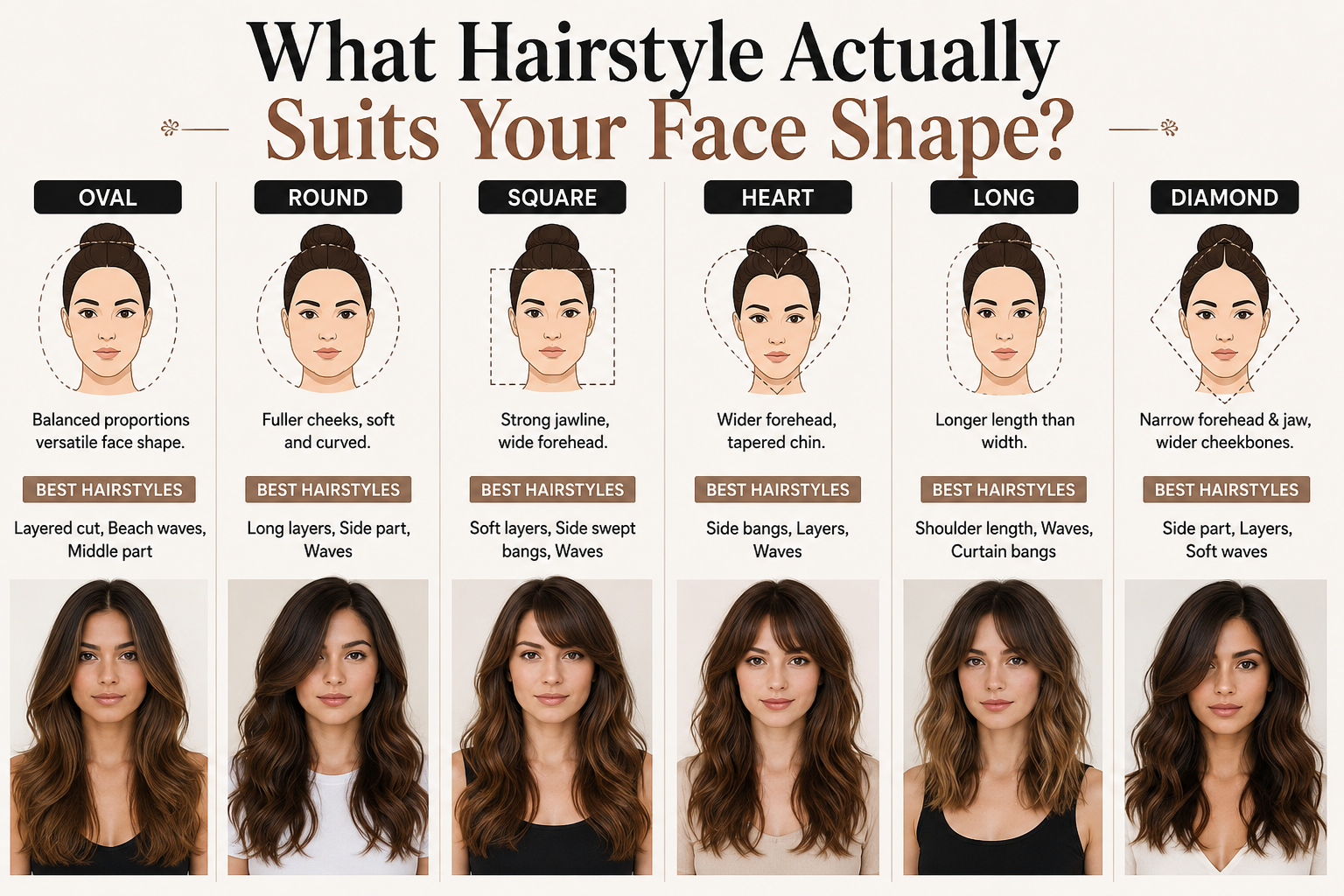
This is honestly the most common question that brings people to hairstyle simulators in the first place. So let me break it down quickly.
Oval face: Lucky you almost every hairstyle works. Long layers, bobs, pixie cuts, bangs… you can pull it all off. The oval face is considered the most versatile shape for hairstyling.
Round face: Go for styles that add height or length, long layers, high ponytails, or styles with volume at the crown. Avoid blunt bobs that cut off at chin level, as they can make a round face look wider.
Square face: Soft layers and styles with movement around the face work beautifully to soften a strong jawline. Side-swept bangs are particularly flattering. Avoid styles that are very straight and blunt.
Heart face: A wider forehead and narrower chin means you want to balance things out. Medium-length hair with waves or curls at the chin level works perfectly. Side-swept bangs can also minimize a broader forehead.
Long/oblong face: Width is your friend. Waves, curls, and styles with volume on the sides create the illusion of a shorter, wider face. Avoid extremely long, straight styles that elongate the face further.
The best part about using a virtual try-on tool is that you don’t have to memorize any of this. You can just test styles on your actual face and trust your eyes.
Free AI Hairstyle for Men — Yes, It Works Too
Men’s hairstyle simulators have come a long way. A few years ago, most virtual try-on tools were built almost exclusively with women’s hairstyles in mind. That’s changed significantly.
TryOnHairstyle.com, for example, now has a solid male style gallery that includes undercuts, fades, textured crops, quiffs, and longer styles like man buns. The AI handles men’s hairstyles well, especially for cuts that have a clean, defined structure.
If you’re a guy wondering whether to go shorter, try a fade, or experiment with something totally different, upload a photo and test it out. The days of just guessing how you’d look with a buzzcut are over.
Can You Try Hair Color Too?
Yes and this is where some tools really shine. While the primary focus of most hairstyle simulators is the cut itself, many tools also let you experiment with hair color changes. You can test out platinum blonde, rich auburn, deep brunette, or even bold fashion colors like blue or rose gold on your photo.
This is especially useful if you’re considering a dramatic color change and want to see how it interacts with your skin tone before committing to bleach and dye.
If hair color is your main interest, look specifically for tools that advertise “AI hair color changer” capabilities; not all cut simulators include this feature.
My Personal Favorite — And Why
I’ve spent a lot of time with these tools, and if I had to pick just one to recommend for most people, it would be TryOnHairstyle.com. Here’s my reasoning:
It requires zero signup, which removes a huge friction point. The style library covers both men and women comprehensively. The AI results are realistic enough to be genuinely useful (not just fun). And it’s completely free with no hidden paywalls blocking the core functionality.
For someone who just discovered virtual hairstyle try-on and wants to experiment before their next salon appointment, this tool delivers everything you need without any unnecessary complexity.
That said, if you’re specifically going shorter and want maximum control over the exact style, Pixelcut’s text-prompt approach gives you a level of customization that’s hard to beat.
People Also Ask
Is there a completely free haircut simulator online?
Yes! TryOnHairstyle.com and VisualGPT both offer free hairstyle try-on without requiring a login or credit card. Pixelcut also has a free tier, though downloading high-resolution results may require an account.
Can I try hairstyles on my face with my own photo?
Absolutely that’s exactly how these tools work. You upload a photo of yourself, and the AI applies different hairstyle styles directly onto your image. The result is personalized to your face, not a generic model.
Is there an AI hairstyle tool online that’s free without a login?
Yes, it is one of the best examples; it’s completely free and explicitly advertises “no login required.” You can use it anonymously without creating an account.
Are these tools accurate for real-life haircut decisions?
They’re genuinely useful for decision-making, though not perfectly photorealistic in every case. The better tools (like Pixelcut and VisualGPT) produce results realistic enough that you can confidently show them to a stylist as a reference. They’re much more reliable than trying to visualize a cut entirely in your head.
Is there a free AI hairstyle simulator for men?
Yes. it has a dedicated male style gallery with undercuts, fades, textured crops, and more. VisualGPT also works well for men’s styles through its AI generation approach.
What’s the best free haircut simulator app?
For browser-based tools, TryOnHairstyle.com is the top free pick. For apps, Pixelcut has a well-rated mobile app (iOS and Android) with AI hairstyle features included.
Can I try different hair colors online for free?
Many tools include a hair color feature alongside the cut simulator. Look for tools that specifically mention “AI hair color changer” TryOnHairstyle.com and VisualGPT both support color experimentation to some degree.
How do I find the most flattering hairstyle for my face shape?
Use a hairstyle simulator that includes face shape analysis (like TheHairstyler.com), or simply upload your photo to multiple tools and test styles across different lengths and textures. Your eyes will tell you what works better than any algorithm can.
Final Thoughts
The anxiety of “what if I hate it?” before a haircut is real and completely unnecessary in 2026. Free AI virtual hairstyle try-on tools have made it genuinely easy to experiment, visualize, and make confident decisions before you ever sit in a salon chair.
Whether you’re thinking about going short for the first time, testing out bangs, or just curious what you’d look like with a completely different texture or cut there’s a tool on this list that can show you exactly that, for free, in under a minute.
Stop guessing. Start trying. Your next great haircut is a photo upload away.
Pingback: Curtain Haircut Guide: 90s Style Vs Modern Men's Cut
Pingback: Textured Quiff Guide: Styling Tips & Best Products